
Draw the fleet once. Know every move in and out.
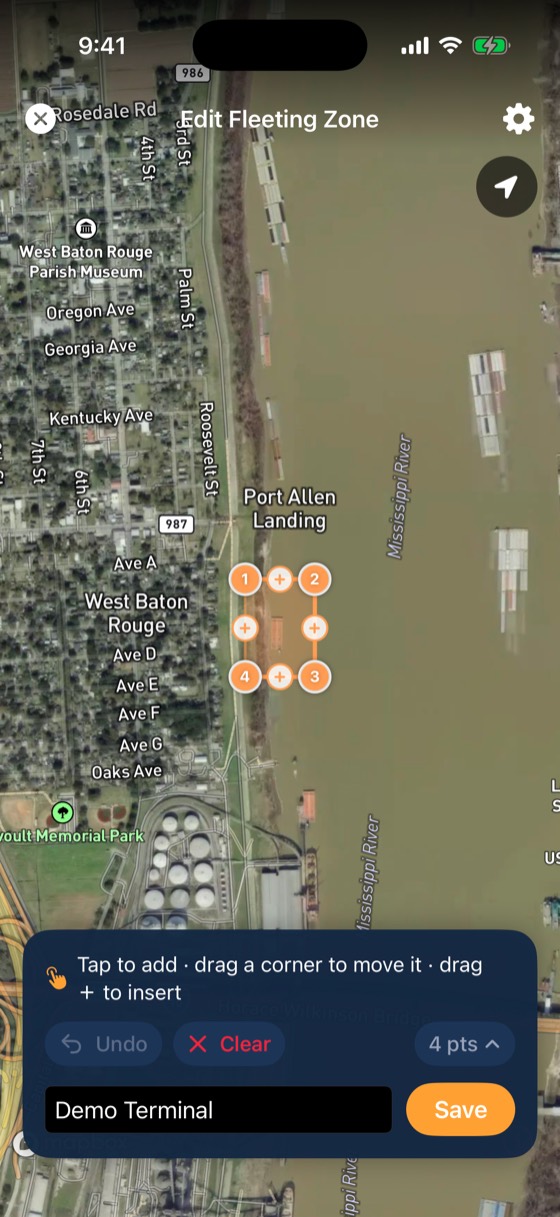
Outline fleeting areas, docks and terminals on a satellite map or import them from a spreadsheet. BargeIQ logs every entry and exit, by your barges, your boats and AIS-visible boats.
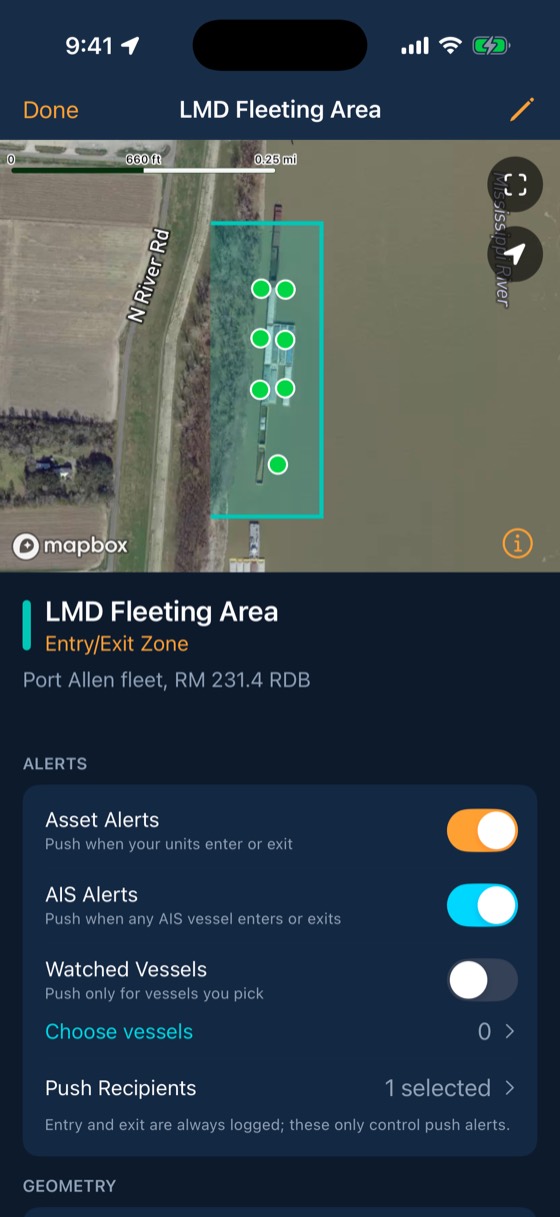
Watch a zone log traffic
Every entry and exit is logged with the vessel and time. Pushes go only to the people you pick for this zone.
What your crew sees
Three steps
Draw or import
Trace a zone on satellite imagery or upload a CSV of corners for every fleeting area you run.
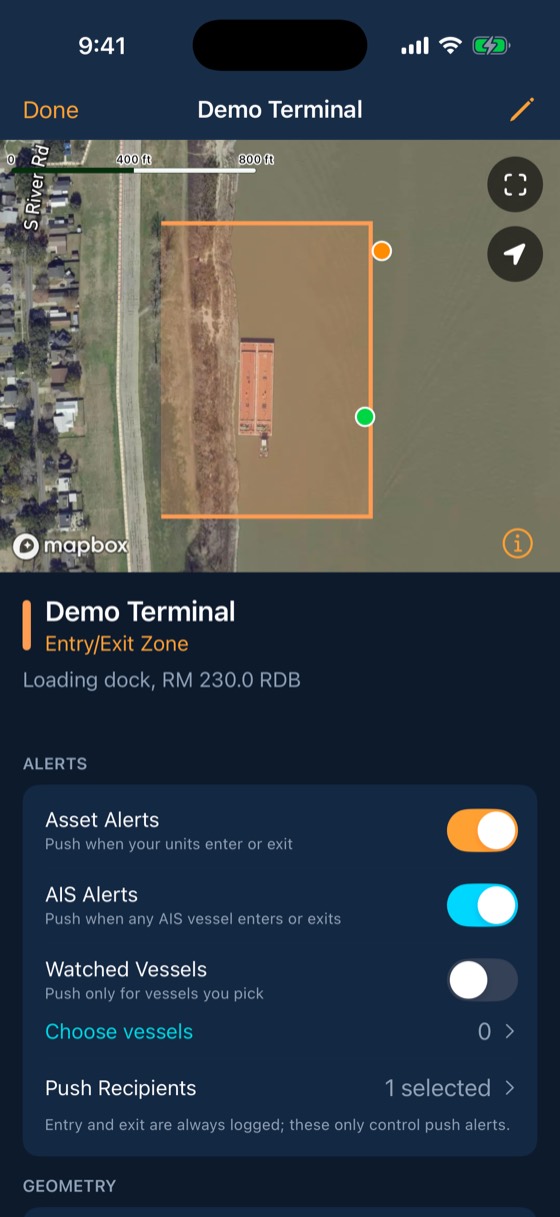
Choose who hears about it
Pick the people who get pushes for each zone. Everyone else can still see the log.
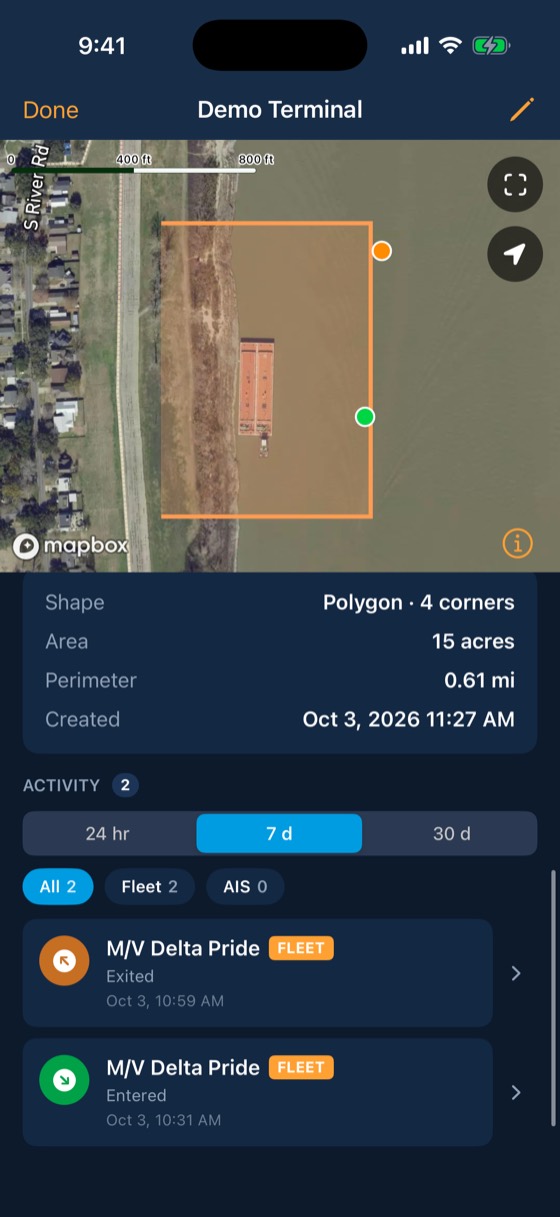
Read the log
Every enter and exit is timestamped, with the vessel name and whether it was one of yours or a passing tow.
Included with every account
- Polygon and circle zones
- CSV import for large fleets
- Per-zone push recipients
- AIS vessels logged alongside your barges
- Watched vessels: get a push when a specific boat arrives
Exact in and out times for every barge and boat at every dock.
Common questions
Can I import my existing zones?
Yes. Upload a CSV with one row per corner and a zone name.
Works with
Breakaway response
Draw a stay-zone around each barge.
Learn more →AIS & watched vessels
Every BargeIQ tracker on the water listens for AIS and relays what it hears, so you see the tows around your fleet, and you can get a push when a particular boat reaches your zone.
Learn more →Alerts
Each alert has its own rules for who hears it and how loud, and each person decides which of their phones and iPads ring.
Learn more →See your fleet the way it should be seen.
Book a 20-minute demo with someone who has worked the river.