
Teams
The right screens for each person.
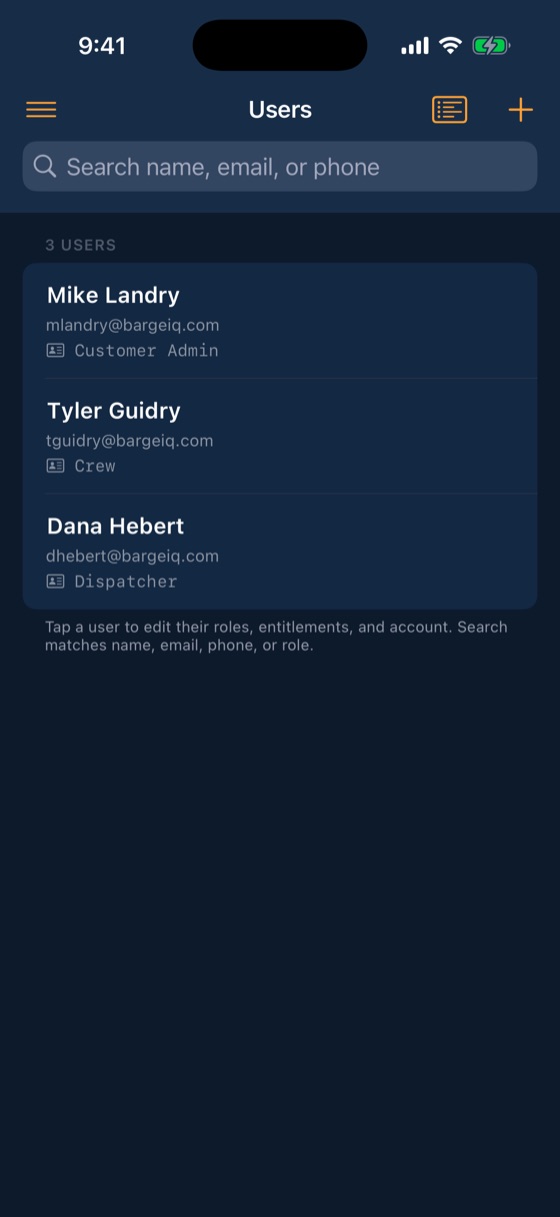
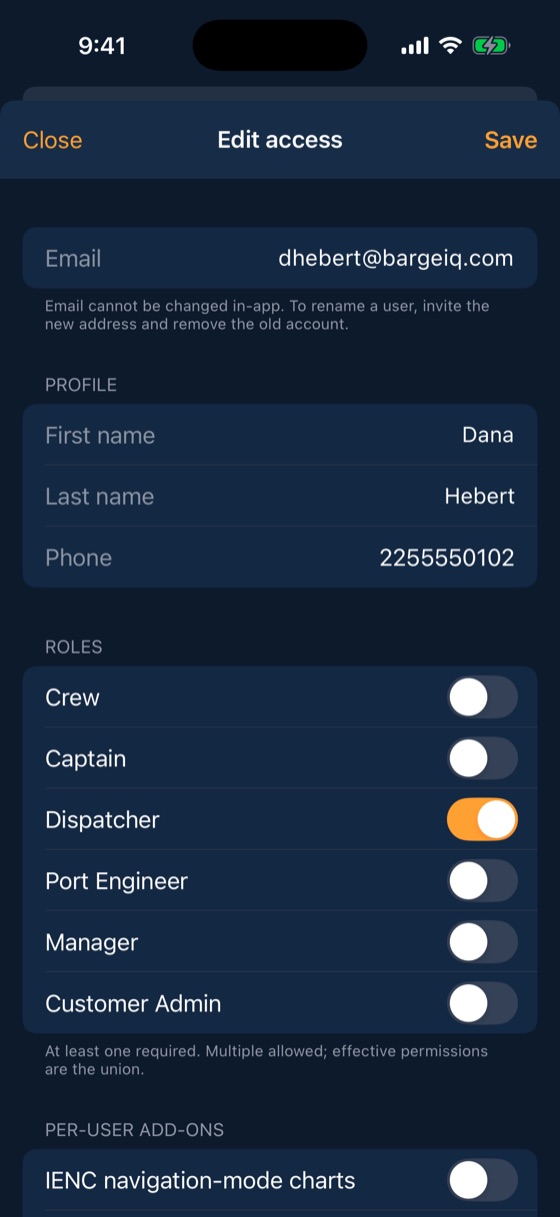
Crew, captains, dispatchers, port engineers, managers and admins each get the access their job needs. Boats get their own iPad logins, and every change is in the audit log.
How it works
From the first signal to the last step
Invite
Add people by email and give them one or more roles.
Scope
Limit people to the groups of barges and boats they work with.
Pair boats
Pair a wheelhouse iPad to a boat so whoever is on watch sees that vessel.
Audit
Every permission change and account action is recorded.
What you get
Included with every account
- Roles you can combine
- Asset groups
- Boat iPad accounts
- Device limit with remote sign-out
- Face ID and Touch ID login
- Audit log kept for two years
What it savesOffboarding in one tap
When someone leaves, remove them and sign out every device they used.
Questions
Common questions
Can one person have two roles?
Yes. Roles combine, so a captain who also dispatches gets both.
See your fleet the way it should be seen.
Book a 20-minute demo with someone who has worked the river.